
SadaPay vs NayaPay 2026: Fees, Limits, and My Final Verdict
Published: April 10, 2026 – 7 min read
At a Glance — Which One Should You Pick?
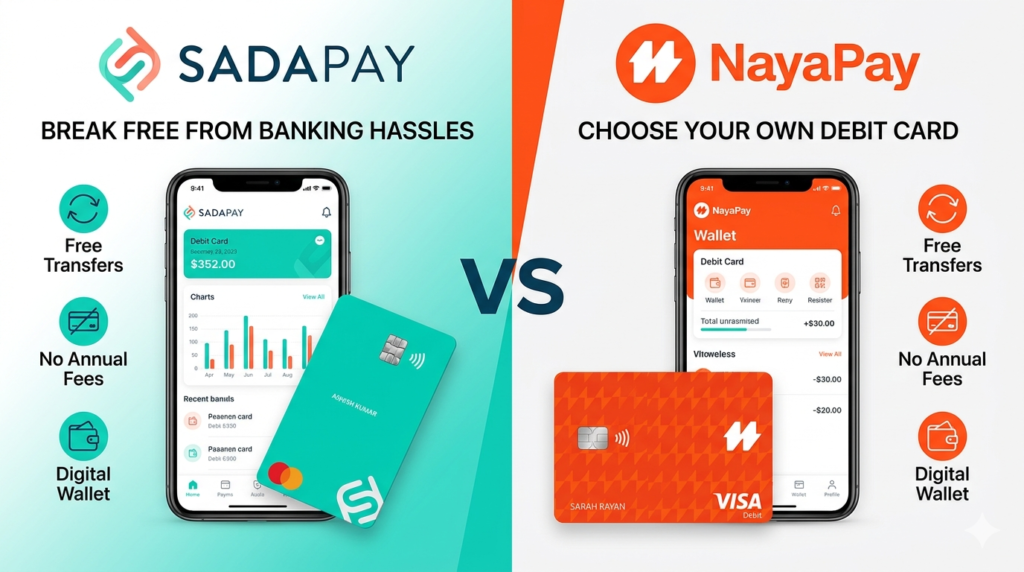
Feature
SadaPay
NayaPay
Card Issuance Fee
Free
Free
Annual Fee
Free
Free
ATM Withdrawal (Local)
Free (first 5/month)
Free (first 3/month)
ATM Withdrawal (International).
2.5% fee
2.5% fee
International Transaction Fee
0%
0%
Freelancer Account
SadaBiz
NayaPay Arc
Customer Support
Chat + Email
Chat + Phone
Best For
Freelancers, daily users
Travelers, students
How to Choose Between SadaPay vs NayaPay in 2026
Let me be honest with you. I’ve used both cards for over a year now. And the answer isn’t as simple as “this one is better.”
It depends on what you need.
As a PSX investor myself, I often look for ways to move my dividends quickly. Traditional bank apps take hours — sometimes days. These digital wallets? Instant. That alone made me switch for daily transactions.
If you’re a freelancer getting paid in dollars — SadaPay’s SadaBiz is a game-changer. If you travel abroad often — NayaPay’s ATM network might save you headaches.
Let me break down every single feature so you can decide for yourself.
SadaPay vs NayaPay Card Comparison: Issuance & Annual Fees
Let’s start with the basics. How much does it cost to get the card? And how much to keep it?
SadaPay Card Fees:
Issuance Fee: Zero. Free. Nothing.
Annual Fee: Zero. I’ve had my card for 14 months. Never paid a single rupee.
Delivery: Free. Takes 5-7 working days in major cities.
NayaPay Card Fees:
Issuance Fee: Zero. Completely free.
Annual Fee: Zero. No hidden charges.
Delivery: Free. Usually arrives in 3-5 working days.
My take: Both are free. This is not a deciding factor. But if you need the card urgently, NayaPay’s delivery is slightly faster in my experience.
SadaPay vs NayaPay ATM Withdrawal Charges 2026
This is where things get interesting. ATM withdrawal charges can eat up your money if you’re not careful.
SadaPay ATM Withdrawal Fees 2026:
Local ATMs (Pakistan): First 5 withdrawals per month free. After that, Rs. 100 per withdrawal.
International ATMs: 2.5% fee on the withdrawn amount + any ATM operator fees.
NayaPay ATM Withdrawal Charges 2026:
Local ATMs (Pakistan): First 3 withdrawals per month free. After that, Rs. 150 per withdrawal.
International ATMs: 2.5% fee on the withdrawn amount + ATM operator fees.
My take: If you withdraw cash frequently, SadaPay wins here. Five free withdrawals vs three free withdrawals. Simple math.
But here’s a pro tip. Both cards let you withdraw smaller amounts multiple times. Plan your withdrawals. Don’t waste your free limit on Rs. 500 withdrawals.
How to Send Money: SadaPay vs NayaPay Transfer Limits
If you’re sending money to friends or family, both apps work well.
SadaPay Transfer Limits:
Daily limit: Rs. 250,000
Monthly limit: Rs. 1,000,000
Transfer speed: Instant (within Pakistan)
NayaPay Transfer Limits:
Daily limit: Rs. 200,000
Monthly limit: Rs. 800,000
Transfer speed: Instant
My take: SadaPay wins with higher limits. If you send large amounts regularly, this matters.
But honestly, for most people, both limits are more than enough. I’ve never hit the limit on either card.
SadaPay vs NayaPay International Transaction Fees
Good news here. Both cards are excellent for online spending.
SadaPay International Fees:
Transaction Fee: 0%. Yes, zero.
Currency Conversion: Visa’s live exchange rate. No markup.
NayaPay International Fees:
Transaction Fee: 0%. Same as SadaPay.
Currency Conversion: Mastercard’s live exchange rate. No markup.
My take: Tie. Both are perfect for Netflix, Spotify, Amazon, or any international subscription. I use both for different subscriptions. Never paid a fee.
The only difference? SadaPay uses Visa. NayaPay uses Mastercard. Some websites prefer one over the other. So having both isn’t a bad idea.
Customer Support: SadaPay Helpline vs NayaPay Chat 2026
This matters more than you think. When your card gets blocked at 11 PM, you need help.
SadaPay Customer Support:
In-app chat: 24/7. Usually replies in 5-10 minutes.
Email: support@sadapay.pk. Slower, 24-48 hours.
Phone: No phone support.
NayaPay Customer Support:
In-app chat: 24/7. Replies in 2-5 minutes. Faster than SadaPay in my experience.
Email: help@nayapay.com.
Phone: Limited phone support for premium features.
My take: NayaPay wins by a small margin. Their chat support is noticeably faster. But both are better than traditional banks. I once waited 45 minutes for HBL’s helpline. Never again.
One thing to note. SadaPay’s support team is more helpful with technical issues. NayaPay’s team is faster but sometimes gives generic responses.
SadaBiz vs NayaPay Arc: Which One is Better for Freelancers?
This is where the real difference shows up. If you’re a freelancer getting paid in USD, pay attention.
SadaBiz (SadaPay's Freelancer Account):
Feature
Details
USD account
Yes, real USD account
Receive payments
From PayPal, Upwork, Fiverr, Deel and more
Withdrawal to PKR
At interbank rate (not the open market rate)
Fee to receive
$0 for most platforms
Physical card
Yes, same as regular SadaPay card
NayaPay Arc (NayaPay's Freelancer Feature):
Feature
Details
USD account
Yes
Receive payments
From PayPal, Upwork, Fiverr, Deel
Withdrawal to PKR
At interbank rate
Fee to receive
$0 for most platforms
Fee to receive
Yes
My take as a freelancer who has used both:
SadaBiz supports more platforms. I’ve received payments from Deel and Remote.com on SadaBiz that wouldn’t work on NayaPay Arc.
But here’s the catch. The interbank rate is worse than the open market rate. You lose about 3-5% on every withdrawal. That’s not the fault of either card — that’s SBP’s policy.
So which one should you pick? If you use Deel, Remote, or niche freelancing platforms — SadaBiz is safer. If you only use PayPal and Upwork — both work fine.
Pro tip: Keep both. I have both. SadaPay for my main freelance income. NayaPay for backup and travel.
What About the Mobile App Experience?
Let me talk about the apps because you’ll use them every single day.
SadaPay App:
Clean, minimal design.
Shows your balance, transaction history, and card details.
The “Insights” feature categorizes your spending automatically.
Some users complain about bugs after updates. I’ve faced two crashes in 14 months.
NayaPay App:
More feature-rich. Almost like a mini bank account.
Shows your balance, transaction history, and card details.
Has a “Spending Analytics” feature.
Smoother experience overall. Fewer bugs.
My take: NayaPay’s app is more polished. SadaPay’s app is simpler. I personally prefer NayaPay’s interface, but SadaPay is not bad by any means.
How to Load Money into SadaPay and NayaPay
Both cards work the same way. You load money from your bank account.
How to load money:
Open the app
Tap “Add Money”
Select your bank (HBL, UBL, MCB, etc.)
Enter amount (minimum Rs. 100, maximum Rs. 250,000 per day)
Confirm
Money arrives instantly. No fees. No waiting.
My take: Both are equally good here. No difference.
How to Close Your Account: SadaPay vs NayaPay
Hopefully you won’t need this. But if you do, here’s how.
Close SadaPay account:
Contact in-app chat
Request account closure
Withdraw remaining balance
Account closed in 24-48 hours
Close NayaPay account:
Go to Settings
Tap “Delete Account”
Confirm
Account closed instantly
My take: NayaPay makes it easier to leave. SadaPay makes you talk to support. But neither charges a fee for closure.
Which One Should You Pick? My Final Verdict on SadaPay vs NayaPay 2026
After using both for over a year, here’s my honest advice.
Pick SadaPay if:
You’re a freelancer using Deel, Remote.com, or niche platforms
You withdraw cash from ATMs frequently (5 free withdrawals per month)
You prefer a simpler, no-nonsense app
You want higher transfer limits (Rs. 250,000 daily)
Pick NayaPay if:
You travel abroad often (same fees, but Mastercard is more widely accepted in some countries)
You want faster customer support (2-5 minute replies)
You prefer a more polished, feature-rich app
You want instant account closure option
Pick both if:
You can. I did. SadaPay for freelance income, NayaPay for daily spending and travel. They’re both free. There’s no downside to having both.
Disclosure: This post is based on my personal experience using both cards for over 14 months. Fees and limits mentioned are accurate as of April 2026. Always check the official apps for the latest updates.
Quick Links
📱 Download SadaPay – [Official Website]
📱 Download NayaPay – [Official Website]
📊 For PSX Updates [Click Here]